
Soccer Hit - International Cup2.0.2 - Google Play
You'll be able to see results in few seconds.
Publisher Description


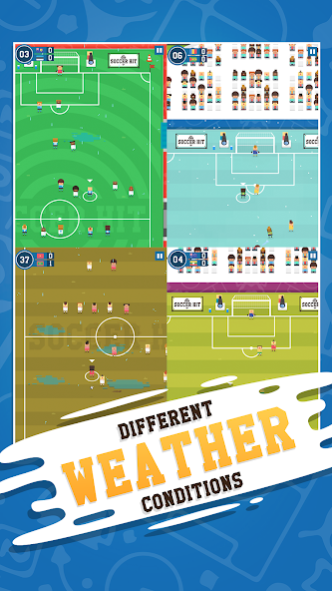
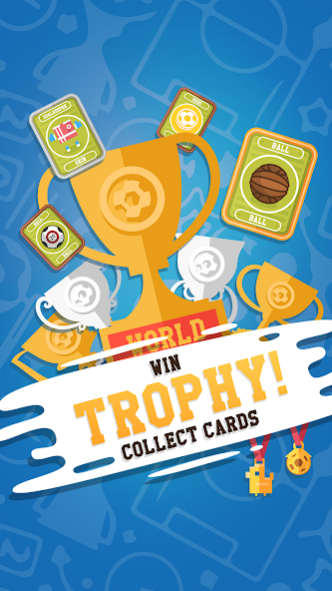
Football world championships are around the corner! Be prepared - kick off the ball in Soccer Hit!
Play in friendly or in world cup mode! Now ready for Russia 2018 emotions and matches!
Play soccer in a brand new way - have fun with fast arcade gameplay, simple controls and unique art style. Tap and swipe to aim, pass the ball between players - be precise! Tap as fast as you can to defend.
Take part in Euro, Asia, America, Africa and Oceania Cup - win all the trophies!
Ideal for taking break in Euro cup 2016 or Copa America, predicting results and winning the cup!
features:
- one touch controls
- 200+ national teams (from all continents)
- 3 game modes (quick match, career - tower of fame, cups)
- 7 different cups to play (euro, north america, africa, asia, etc)
- 12+ trophies to achieve
- cards with funny gifts and specials
- different pitches and weather conditions
- no offsides
- no red cards
- extra time and penalties included
- goal replay sharing (turn it off on older devices for better performance)
Remember - in Soccer Hit there are no offsides and red cards - pure arcade-football-soccer experience.
IMPORTANT: If you facing some performance issues (on older devices) disable "RECORD REPLAYS" option. Use it only when you want to share some awesome videos of your goals!
About Soccer Hit - International Cup
The company that develops Soccer Hit - International Cup is Digital Melody Games. The latest version released by its developer is 2.0.2.
To install Soccer Hit - International Cup on your Android device, just click the green Continue To App button above to start the installation process. The app is listed on our website since 2018-06-13 and was downloaded 0 times. We have already checked if the download link is safe, however for your own protection we recommend that you scan the downloaded app with your antivirus. Your antivirus may detect the Soccer Hit - International Cup as malware as malware if the download link to com.dm.soccerhit is broken.
How to install Soccer Hit - International Cup on your Android device:
- Click on the Continue To App button on our website. This will redirect you to Google Play.
- Once the Soccer Hit - International Cup is shown in the Google Play listing of your Android device, you can start its download and installation. Tap on the Install button located below the search bar and to the right of the app icon.
- A pop-up window with the permissions required by Soccer Hit - International Cup will be shown. Click on Accept to continue the process.
- Soccer Hit - International Cup will be downloaded onto your device, displaying a progress. Once the download completes, the installation will start and you'll get a notification after the installation is finished.
Program Details
System requirements
Download information
Pricing
Version History
version 2.0.2
posted on 2018-06-13
- GDPR info, removed obsolete plugins
- World Cup mode
- Friendly Mode + new teams + Russia 2018 World Cup ready!
- saving career mode progress & minor fixes
version 1.0.57
posted on 2016-06-23
- saving career mode progress & minot fixes
Disclaimer
Official Google Play Link
We do not host Soccer Hit - International Cup on our servers. We did not scan it for viruses, adware, spyware or other type of malware. This app is hosted by Google and passed their terms and conditions to be listed there. We recommend caution when installing it.
The Google Play link for Soccer Hit - International Cup is provided to you by apps112.com without any warranties, representations or guarantees of any kind, so access it at your own risk.
If you have questions regarding this particular app contact the publisher directly. For questions about the functionalities of apps112.com contact us.
